Measurement Setup
GA4 and Google Tag Manager, set up so a site actually measures what matters. Not just that someone showed up, but what they did once they were there. Standard tracking done correctly, plus custom events tuned to how each product works. This is core service work I do over and over, for my own projects and for clients.
"GA4 is installed" usually means almost nothing
Most sites that say they have analytics are tracking exactly one thing: that a page loaded. There's no record of whether someone tapped the phone number, submitted the form, downloaded the guide, or made it past the first scroll. The dashboard fills up with pageviews and answers none of the questions a business actually has. Which of this traffic is doing anything?
A real setup isn't a single snippet pasted into the head. It's a deliberate map of the actions worth knowing about, each one wired to fire cleanly and land in GA4 as an event you can build a report around. One setup says "we have analytics." The other lets you actually answer questions.
The standard events, done right
Every setup starts with the same dependable foundation, deployed entirely through Google Tag Manager so it stays maintainable without ever touching the site's code again. The GA4 configuration tag, then the interactions that matter on almost any site: scroll depth, email and phone-number taps, file downloads, outbound link clicks, form submissions, and navigation. Triggers are scoped so they fire on the right element and nothing else. No double-counts, no firing on every stray click.
Doing this through GTM rather than hard-coding it into the page is a deliberate choice. The business can hand off, change vendors, or add a tag later without a developer touching the codebase. The measurement layer lives separately from the site, which is exactly where it belongs.
Custom events, tuned to the product
The foundation is table stakes. The real value is instrumenting what's unique about a given product, the interactions a template setup would never know to look for. On Zenith, a workout-building app I built, that meant tracking the actions that show whether people are actually using the thing: selecting a muscle group, building a workout, clicking into a guide card, tapping the explore-guides call to action.
And those events carry context, not just a click. A custom variable reads which muscle group and which difficulty level a card represents, so the event lands in GA4 as "someone built a workout for this muscle at this level." That's structured data you can actually segment and learn from. It's the line between knowing something happened and knowing what it means.

.site-nav links up top. a.btn). #gen…). The core product action. 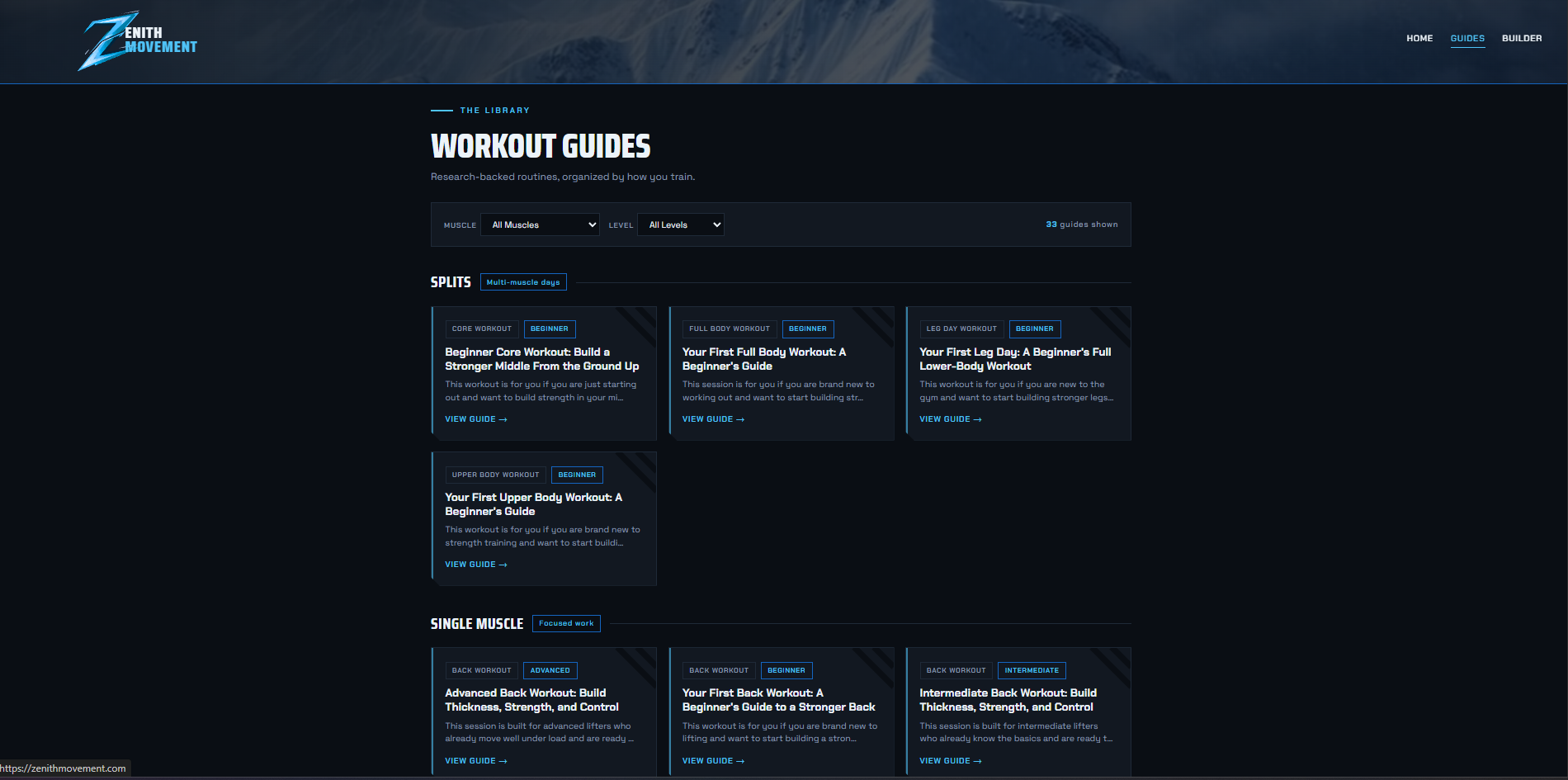
.card. Custom JS reads the card's muscle and level badges, the ones visible on each card, and sends them as parameters. 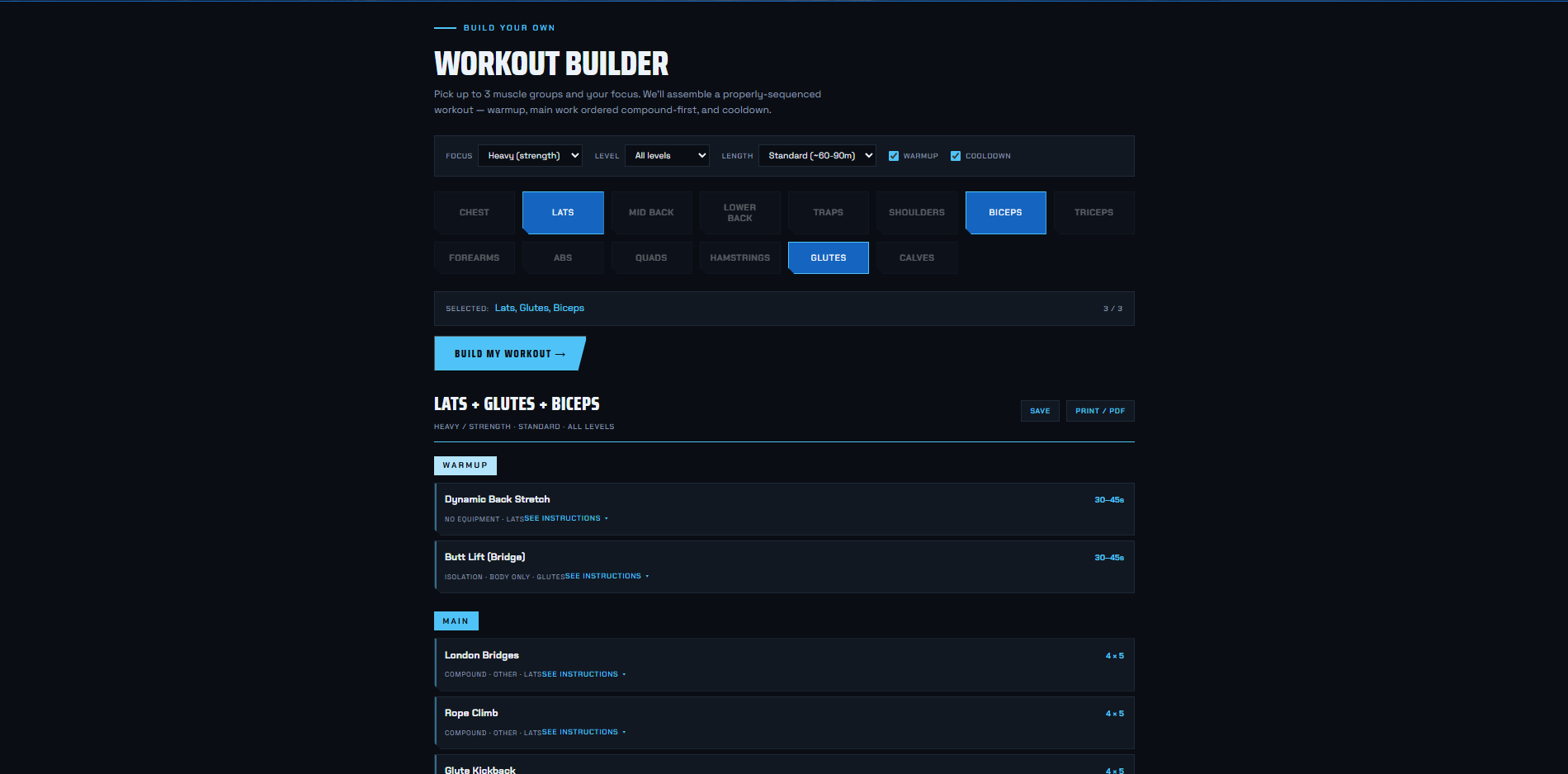
.m-btn). Captures which group a visitor is building around. 11 event tags in one container, each fired from a specific piece of the live site. The custom ones carry structured parameters you can segment on. Contact events (form, phone, email) are installed and ready, just not the reporting focus yet.
A generic setup records "someone clicked a card." This one records which muscle group and which difficulty level that card was, because two custom JavaScript variables walk the DOM from the clicked element and read its data attributes. That's what turns a click into structured product analytics: the GA4 report can now answer "which muscle groups and levels do people actually explore."
// CJS - Card Muscle  (CJS - Card Level is identical, reads data-level)
function() {
  var el = {{Click Element}};
  if (!el) return undefined;
  var card = el.closest ? el.closest('.card') : null;
  return card ? card.getAttribute('data-muscle') : undefined;
}
Both feed → GA4 Event · Guide Card Click as event parameters.
Standard when it fits, custom when it counts
Plenty of businesses need the dependable foundation and nothing more, and that gets set up fast. I've done this enough times that I built my own GA4 and GTM starter pack into the Command Center to streamline it, so the standard layer goes up clean and consistent every time instead of getting rebuilt from scratch. But when a product has interactions worth measuring that no template covers, I build the custom tags, triggers, and variables to capture them, including the JavaScript that pulls structured detail off the page. The setup fits the business, not the other way around. I've done this for my own projects, for E11EVEN, and for client work.
What it demonstrates
The judgment to know which actions are worth tracking, and the implementation skill to wire them cleanly. Standard events done correctly, custom events when the product calls for them, all maintainable through GTM. Measurement that answers questions instead of just counting visits.